A social media audit is the fastest way to find out which of your accounts are actually earning their keep — and which are quietly wasting time, budget, and reputation. If you have been posting for months without a clear sense of what works, an audit replaces guesswork with a scored, documented picture of every profile you own.
This guide walks you through how to do a social media audit in 7 steps, using the metrics platforms actually report in 2026. That matters more than it sounds: Meta has renamed and retired several of the numbers older audit guides still tell you to track, Instagram now caps hashtags at five, and X has moved its analytics dashboard behind a subscription. You will also get a free scorecard, a copy-ready audit template, benchmark data, and a Bangladesh-specific checklist that global guides skip entirely.
Key takeaways
- What it is: a structured review of every social account you run — access, branding, performance, content, audience, competitors, and risk — ending in a prioritized action plan.
- The 7 steps: inventory and lock down accounts, fix profiles, pull the right metrics, analyze content, benchmark audience and competitors, check compliance and risk, then score and plan.
- 2026 metric reality: on Facebook and Instagram, Views replaced impressions, and Business Suite reports Viewers and Interactions — never compare them one-to-one with old reach and engagement numbers.
- Benchmarks to know: the 2026 cross-industry median engagement rate is 2.01% on TikTok, 0.30% on Instagram, 0.21% on YouTube, and 0.03% on X (Quid/Rival IQ, March 2026).
- Cadence: a 30–60 minute monthly check-in, a full audit every quarter, and an unscheduled audit after any hack, rebrand, or major platform change.
- Bangladesh angle: Facebook reaches roughly 74.9 million users in the country, and a June 2026 amendment to the Cyber Security law raises the stakes on what brands publish and leave up.
What is a social media audit?
Definition: A social media audit is a structured, point-in-time review of all your social media accounts that measures how each one performs against its goal, checks brand consistency and security, compares results with competitors and benchmarks, and turns the findings into a prioritized list of actions.
Think of it as a health check rather than a report card. A report tells you what happened last month. An audit asks harder questions: Should this account exist at all? Who has access to it? Is it reaching the people you actually sell to? Is it doing its job — or just generating likes? If you are new to the discipline, our guide to social media management explains how auditing fits into the wider workflow.
Social media audit vs. strategy vs. report
These three documents get confused constantly. Each has a different job, and you need all three in the right order.
| Social media audit | Social media strategy | Social media report | |
|---|---|---|---|
| Question it answers | Where are we now, and what is broken? | Where are we going, and how? | What happened in this period? |
| Time focus | Past and present snapshot | Next 3–12 months | Last week, month, or campaign |
| Covers | Accounts, access, branding, performance, content, audience, competitors, risk | Goals, audiences, content pillars, channels, budget | KPIs versus targets |
| Frequency | Quarterly (full), monthly (light) | Yearly, revised quarterly | Weekly or monthly |
| Output | Scorecard and action plan | Plan and calendar | Dashboard or slide deck |
Run the audit first, then feed its findings into your social media strategy. Skipping the audit means building next quarter's plan on assumptions.
Why audit your social media in 2026
Social is bigger, more fragmented, and harder to read than ever. The scale alone makes a periodic review essential:
5.79B
social media user identities worldwide in April 2026 (DataReportal)
74.9M
Facebook users in Bangladesh in July 2026 (NapoleonCat)
0.30%
median Instagram engagement rate in 2026, down about 17% year over year (Quid/Rival IQ)
That last number is the real reason to audit. Organic engagement on Instagram keeps slipping, brands are posting less on Instagram and Facebook than at any point in the past six years, and TikTok continues to out-engage every other major platform despite brands publishing only about two videos a week there. When the ground shifts that much, last year's channel mix is probably wrong for this year. A good audit surfaces:
- Dead weight: channels that consume hours but move no business metric.
- Security gaps: ex-employees, old freelancers, or agencies still holding admin access.
- Brand leakage: outdated bios, broken links, impostor pages, and mismatched logos.
- Hidden winners: formats or topics quietly outperforming everything else.
- Budget evidence: hard numbers to justify moving spend toward what works.
What changed in 2026 (and breaks old audits)
Most audit templates circulating online were built for metrics that no longer exist in the same form. Before you pull a single number, understand these changes — otherwise your year-over-year comparison will show a "drop" or "spike" that is really just a relabeled metric.
| Change | What happened | What it means for your audit |
|---|---|---|
| Meta: Views replaced impressions | For photos, text posts, and Stories, Views replaced Impressions. Views count every time content appears on screen, including repeats by the same person. For video, Views replaced Plays. | Current Views will usually look higher than old impression totals. Mark the switchover in your spreadsheet and do not compare the two directly. |
| Meta Business Suite: new account labels | Account-level Reach, Impressions, and Engagement were replaced with Viewers, Views, and Interactions. | Viewers is not identical to reach, and Interactions is not identical to engagement. Rebuild your baseline using the new labels. |
| Facebook 10-second video metrics retired | As of 26 January 2026, Meta deprecated paid and organic Facebook 10-second video metrics without direct replacements. | If your old template benchmarked "10-second views", replace it with Views plus minutes viewed. |
| Ads Manager still uses old labels | Paid reporting continues to use impressions, reach, and engagement, while organic reporting uses the new framework. | Audit paid and organic in separate sections. Never merge them into one engagement figure. |
| Instagram: five-hashtag cap | Since December 2025, Instagram limits posts and Reels to five hashtags (down from 30). | Audit saved hashtag sets and caption templates. Anything with more than five tags needs rewriting. |
| X: analytics behind Premium | The full account analytics dashboard requires an X Premium subscription; free accounts only see basic post-level numbers. | Budget for Premium during audit month, or use post-level counts and a third-party tool. |
Before you start: a 20-minute setup
A little preparation keeps the audit consistent and comparable next quarter.
- Pick one date range — the last 90 days works for most brands — and use it on every platform.
- Write one goal per channel (awareness, engagement, traffic, leads, sales, or customer care). You cannot judge performance without it.
- Create a spreadsheet using the template columns below, with one tab per platform.
- Gather access: admin or analyst roles for Meta Business Suite, TikTok Studio, YouTube Studio, LinkedIn Page analytics, X, and Google Analytics 4.
- List three to five competitors you actually lose customers to, not just the biggest names in your industry.
Step 1: Inventory every account and lock down access
You cannot audit what you do not know exists. Start by listing every account connected to your brand — active, dormant, regional, campaign-specific, and personal profiles that act as brand accounts.
- Search each platform for your brand name, product names, and common misspellings.
- Record the URL, handle, platform, purpose, follower count, last post date, and whether it is verified.
- Note who owns each account and every person or agency with admin, editor, or analyst access.
- Flag impostor or fan pages that could mislead customers, and report fakes to the platform.
- Mark dormant accounts for a decision in Step 7: revive, merge, or close.
This is also where you run a security sweep. Remove anyone who no longer needs access, confirm two-factor authentication is switched on for every admin, and make sure at least two trusted people inside the business hold full control, so a single lost phone or departed employee cannot lock you out. Our walkthrough on how to secure a Facebook account covers the settings step by step.
Where to find it
Meta business portfolio settings (People, Partners, and Accounts), each platform's account or page roles screen, and a manual brand-name search on every network.
Bangladesh tip: Many Facebook Pages in Bangladesh were set up by a freelancer, a boosting agent, or a relative years ago. If someone outside the business still holds full control, move ownership back to a business-owned account before doing anything else — it is the most common cause of lost Pages.
Step 2: Audit profiles and brand consistency
Open every profile as a first-time visitor would. Inconsistency erodes trust with customers — and increasingly with AI search tools that summarize your brand from whatever they find on your profiles.
| Element | What to check | Pass looks like |
|---|---|---|
| Handle and name | Same or near-identical handle across networks | @brandname everywhere, or a clear regional variant |
| Profile and cover images | Current logo, correct size, no expired campaign banners | Crisp, current, and recognizable at thumbnail size |
| Bio and category | Clear value proposition, correct category, keywords customers search | One sentence on who you help and how |
| Links | Every link resolves, uses tracking parameters, and lands on a relevant page | No 404s, no old homepages, UTM tags applied |
| Contact details | Phone, email, address, hours, and messaging buttons are current | Customers can reach you in one tap |
| Pinned or featured posts | Still relevant, still accurate, not promoting finished offers | Evergreen or current campaign only |
| Hashtags | Branded tags are consistent; Instagram captions use five or fewer | One branded tag plus up to four topical tags |
| Verification | Which accounts carry a badge, and whether it is worth pursuing | Priority accounts verified or scheduled |
For Facebook specifically, profile completeness also affects discoverability in search. See our guide to Facebook Page SEO for the fields that matter most.
Step 3: Pull the right 2026 metrics for each channel
Now judge each channel against the single goal you wrote during setup. The metric that proves a traffic goal is not the metric that proves an awareness goal — so do not fill every column for every platform just because the data exists.
| Channel goal | Primary metrics to record | Where to get them |
|---|---|---|
| Awareness | Views, Viewers or reach, follower growth rate, share of voice | Native analytics; a listening tool for share of voice |
| Engagement | Interactions, engagement rate, saves, shares or sends, comments | Native analytics |
| Traffic | Link clicks, sessions from social, engaged sessions | Google Analytics 4 with UTM-tagged links |
| Leads and sales | Conversions, cost per result, revenue attributed to social | GA4, Meta Pixel with Conversions API, store analytics |
| Customer care | Response rate, median response time, resolved conversations | Business Suite inbox and your helpdesk |
Calculate engagement rate the same way every time
There is no universal formula, and mixing methods is the most common audit error. Pick one and label it in your spreadsheet:
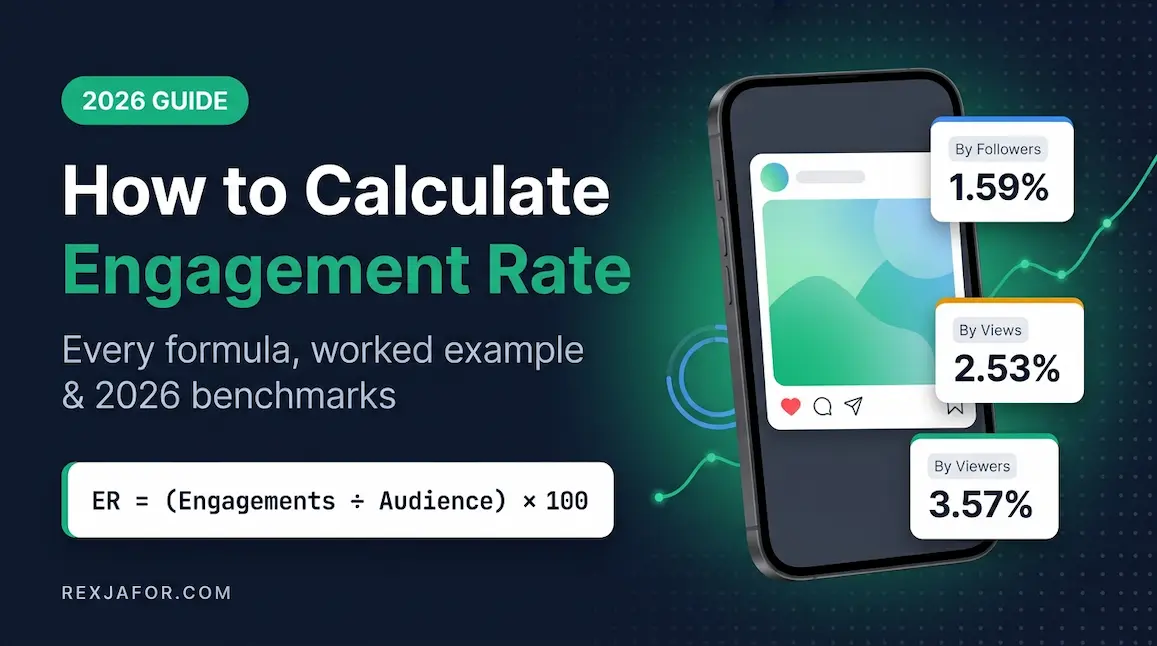
Engagement rate by followers = (total interactions ÷ followers) × 100 — best for comparing against industry benchmarks, which usually use this method.
Engagement rate by reach = (total interactions ÷ reach or viewers) × 100 — best for judging how compelling individual posts are to the people who actually saw them.
Example: a post with 240 interactions on a page with 20,000 followers has a 1.2% engagement rate by followers. If only 6,000 people saw it, its rate by reach is 4%. Both are correct; they simply answer different questions.
Where to find it
Meta Business Suite (Insights) for Facebook and Instagram, TikTok Studio analytics, YouTube Studio, LinkedIn Page analytics, X Premium analytics, and Google Analytics 4 under Reports → Acquisition → Traffic acquisition for social sessions.
Step 4: Analyze content performance
Export every post from your date range and sort by the metric tied to each channel's goal. Then pull out the top five and bottom five posts per platform and look for patterns, not one-off hits.
- Format: Reels or short video, carousels, single images, text, Stories, live video, documents?
- Topic or content pillar: educational, behind-the-scenes, product, community, trend-based?
- Hook: what happens in the first line or first two seconds of winners versus losers?
- Timing: day and hour, but only after format and topic — timing rarely rescues weak content.
- Language and tone: formal versus conversational, local language versus English, humor versus straight information.
- Action signals: which posts earned saves, shares, and DMs rather than just likes?
Weight the signals that platforms increasingly reward. Comments per post fell sharply on both TikTok and Instagram in 2025, so a post with modest likes but strong saves and shares may be a stronger performer than it looks. Record your conclusions as "more of" and "less of" statements, then carry them straight into your social media content calendar.
Step 5: Benchmark your audience and competitors
Is your audience the audience you want?
Compare each channel's audience demographics — age, gender, top cities, and active hours — with your actual customer profile. A page with 50,000 followers who will never buy from you is weaker than one with 5,000 who will. If the mismatch is large, that channel needs a content reset or a lower priority.
How do you compare with industry benchmarks?
Use benchmarks as context, not as targets. These are the cross-industry medians from the 2026 Social Media Industry Benchmark Report, which measures engagement as interactions divided by follower count:
| Platform | Median engagement rate (2026) | Typical brand posting frequency | Audit takeaway |
|---|---|---|---|
| TikTok | 2.01% | About 2 videos per week | Still the engagement leader, even at low volume |
| 0.30% | About 3.7 posts per week | Down roughly 17% year over year — judge on saves and shares too | |
| YouTube | 0.21% | Varies widely by industry | New to the benchmark; ahead of Facebook and X on engagement |
| Flat year over year | Just under 3 posts per week | Organic engagement is low; pair audit findings with paid data | |
| X | 0.03% | About 2.2 posts per week | Rebounded from 2024, but still the lowest-engagement platform |
Source: Quid (Rival IQ) 2026 Social Media Industry Benchmark Report, published March 2026. Medians vary significantly by industry; Higher Education and Sports sit well above these figures, while Retail and Beauty sit below.
Run a quick competitor scan
- Posting frequency and preferred formats on each platform.
- Average interactions on their last 10–20 posts.
- Content themes that consistently land for them — and gaps nobody is covering.
- Tone of voice and how quickly they reply to comments.
- Their active ads, which you can view in the public Meta Ad Library for Facebook and Instagram.
Bangladesh tip: Always check the Meta Ad Library for Bangladeshi competitors. Because so much local growth is paid, a competitor with modest organic engagement may be running dozens of active ads — which changes what "beating them" actually requires.
Step 6: Check compliance, security, and risk
This is the step most audits skip — and the one that causes the most expensive problems. Review:
- Platform policies: branded content labels, contest rules, restricted-category ads, and AI-generated content disclosures.
- Legal requirements: advertising claims, privacy, and sector rules for finance, health, and education.
- Personal data: how leads from forms, Messenger, and WhatsApp are collected, stored, and deleted.
- Access controls: confirm Step 1 fixes were applied and document who approves new access.
- Crisis readiness: a named person, an escalation path, and pre-approved holding statements.
- AI governance: rules on which AI tools your team may use and a human review step before anything publishes.
Bangladesh compliance watch: On 30 June 2026, the Jatiya Sangsad passed the Cyber Security (Amendment) Bill, 2026, aimed at swift removal of harmful and defamatory AI-generated content. According to the ICT minister, it updates definitions of misinformation and defamation, introduces stricter penalties, and empowers BTRC and other authorized agencies to block content and request user data from platforms. Audit any AI-generated visuals, satire, comparative claims, and unmoderated comment threads on your pages. Bangladesh has also introduced a personal data protection framework through ordinance in 2025, amended in 2026 — confirm its current status and obligations with a qualified lawyer before changing how you collect customer data.
Step 7: Score every channel and build your action plan
Findings without decisions are just a long document. Score each channel from 1 (poor) to 5 (excellent) on the criteria below, multiply by the weight, and add up the total out of 100.
| Criterion | Weight | What a 5 looks like | Score (1–5) |
|---|---|---|---|
| Goal performance | ×6 | Clearly hitting or beating the channel's primary metric | |
| Audience fit | ×4 | Followers closely match the target customer | |
| Content effectiveness | ×3 | Repeatable winning formats identified | |
| Brand consistency | ×2 | Profile fully complete and on-brand | |
| Security and compliance | ×3 | Access clean, 2FA on, no open risks | |
| Competitive position | ×2 | At or above benchmark and key rivals |
Weights add up to 20, so a perfect channel scores 100. Then turn scores into decisions:
| Total score | Decision | What to do next |
|---|---|---|
| 80–100 | Scale | Invest more time or budget; replicate winning formats elsewhere |
| 60–79 | Fix | Keep the channel, but pick the two weakest criteria and assign owners |
| 40–59 | Rethink | Change the goal, audience, or format — or reduce posting to maintenance mode |
| Below 40 | Pause or close | Archive, merge into a stronger account, or close after redirecting followers |
Turn the scorecard into a 90-day plan
- Days 1–30: security fixes, broken links, profile updates, and closing or merging dead accounts.
- Days 31–60: shift content mix toward proven formats and test one new format per priority channel.
- Days 61–90: reallocate budget based on results, then run a light check-in to confirm the changes worked.
Limit yourself to three to five high-impact actions, each with an owner and a deadline. A short plan that gets done beats a 40-item list that gets filed.
Free social media audit template
Copy these columns into Google Sheets or Excel, with one tab per platform. Fill one row per account.
| Column | What to enter | Example |
|---|---|---|
| Platform and handle | Network plus exact URL | Instagram — instagram.com/brandname |
| Owner and access | Account owner and everyone with a role | Owner: marketing lead; 3 admins; 2FA on |
| Channel goal | One primary goal | Traffic to online store |
| Primary KPI (90 days) | The metric tied to the goal, with previous period | 1,420 sessions (previous: 1,180) |
| Engagement rate and method | Rate plus "by followers" or "by reach" | 0.42% by followers |
| Followers and growth | Current count and percentage change | 18,300 (+4.1%) |
| Top format and topic | Best-performing combination | Carousel — product how-tos |
| Weakest format and topic | Worst-performing combination | Static promo graphics |
| Profile issues | Anything to fix from Step 2 | Bio link goes to old homepage |
| Risks | Security or compliance items from Step 6 | Former agency still has access |
| Score and decision | Total out of 100 and Scale, Fix, Rethink, or Pause | 68 — Fix |
| Actions, owner, deadline | Up to three concrete actions | Rotate UTM links — Rafi — 15 Oct |
Audits are one of the first deliverables clients ask a new social media manager for. If you are building that career, our guide to the skills every social media manager needs shows where auditing and analytics fit in.
Social media audit checklist for Bangladesh
Global audit guides assume a US or European market. Brands and freelancers auditing accounts in Bangladesh should add these checks:
64.0M
social media user identities in Bangladesh, October 2025 (DataReportal)
56.2M
TikTok users aged 18+ in Bangladesh, late 2025 (DataReportal)
11.3M
Instagram users in Bangladesh, July 2026 (NapoleonCat)
- Treat Facebook and Messenger as one channel. For many local businesses, the inbox — not the feed — is where sales close. Audit response time and unanswered messages as seriously as post reach.
- Do not ignore TikTok and YouTube. With TikTok reaching tens of millions of adults in the country, a brand audit that only covers Facebook misses a large share of attention.
- Check payment and order details. Confirm any mobile financial service numbers, delivery charges, and order instructions shown in bios, pinned posts, and auto-replies are current and match your website.
- Audit both languages. Review performance and comment sentiment for local-language and English posts separately; they often behave very differently.
- Hunt for clone pages. Search for copies of your Page name and logo that take orders or payments, and report them immediately.
- Separate boosted from organic results. Heavy boosting inflates reach and followers; judge organic health on its own.
- Review moderation for legal risk. Given the June 2026 Cyber Security amendment, remove defamatory or manipulated content in your comments and avoid AI-generated imagery of real people without consent.
- Check event-driven traffic. Flag Eid, Bengali New Year, and major sale periods in your date range so seasonal spikes do not distort your baseline.
If you are auditing client accounts as a freelancer or agency employee, the checklist also doubles as a strong pitch asset. Our guides on how to become a social media manager and social media manager salary in Bangladesh cover how to package it as a service.
Best free and paid social media audit tools
You can run a complete audit with free native tools. Paid platforms mainly save time when you manage many accounts or need competitor and listening data.
| Tool | Cost | Best for in an audit | Limitation |
|---|---|---|---|
| Meta Business Suite | Free | Facebook and Instagram Views, Viewers, Interactions, audience, and inbox | Organic only; paid data lives in Ads Manager |
| Meta Ad Library | Free | Competitors' active ads on Facebook and Instagram | No performance data for commercial ads |
| TikTok Studio | Free | Video performance, retention, follower activity | Short native history windows |
| YouTube Studio | Free | Watch time, retention, traffic sources, audience | YouTube only |
| LinkedIn Page analytics | Free | Follower demographics and post performance | Limited competitor data |
| Google Analytics 4 | Free | Traffic, engagement, and conversions from social | Requires UTM tagging for accuracy |
| X Premium analytics | Paid subscription | Account-level X performance | Dashboard not available on free accounts |
| All-in-one suites (Metricool, Hootsuite, Sprout Social, and similar) | Paid, some with free tiers | Cross-platform exports, competitor tracking, scheduled reports | Cost scales with accounts and users; check current plans |
How often should you do a social media audit?
| Audit type | When | Time needed | Focus |
|---|---|---|---|
| Light check-in | Monthly | 30–60 minutes | Top-line KPIs, best and worst posts, broken links, access changes |
| Full audit | Quarterly | One working day | All 7 steps, scorecard, and a new 90-day plan |
| Deep annual audit | Once a year, before planning | Two to three days | Channel mix, budget, competitors, and strategy reset |
| Trigger audit | After a hack, rebrand, team change, platform metric change, or new law | Half a day | Security, compliance, and baseline reset |
Outdated social media audit advice to ignore
Several guides still ranking for this topic repeat advice that no longer matches how platforms work. Here is what to correct:
| What older guides say | What is accurate in 2026 |
|---|---|
| "Record impressions for every Facebook and Instagram post." | Meta replaced impressions with Views for organic content, and Views count repeat exposures. Old and new numbers are not comparable. |
| "Keep a consistent set of branded hashtags" with no limit mentioned. | Instagram caps posts and Reels at five hashtags since December 2025. Audit and trim saved sets. |
| "Use X's free analytics to track performance." | Full account analytics on X require a Premium subscription; free accounts see only post-level counts. |
| "There are 5.42 billion social media users." | That was a 2025 projection. DataReportal counted 5.79 billion social media user identities in April 2026. |
| "Benchmark video performance on 10-second views." | Meta deprecated Facebook 10-second video metrics on 26 January 2026. |
| "Compare your engagement rate with the industry average." | Benchmarks use different formulas. Match the method — by followers or by reach — before comparing. |
Common social media audit mistakes
- Auditing without a goal per channel, so every number looks equally important.
- Mixing paid and organic data into one engagement figure.
- Changing date ranges between platforms or between quarters.
- Treating follower count as success instead of audience fit and conversions.
- Skipping access and security checks until an account gets hijacked.
- Copying a competitor's numbers without checking whether their reach is paid.
- Producing a report with no owners or deadlines, so nothing changes.
Frequently asked questions about social media audits
What is a social media audit in simple terms?
It is a structured review of all your social accounts to see what is working, what is not, and what is risky — followed by a short plan to fix it. It covers access, profiles, performance, content, audience, competitors, and compliance.
How long does a social media audit take?
A light monthly check-in takes 30–60 minutes. A full quarterly audit of three to five channels usually takes about one working day using the 7 steps in this guide. Agencies auditing many accounts often use an all-in-one tool to cut export time.
What metrics should a social media audit include?
Only the metrics tied to each channel's goal: Views and Viewers or reach for awareness, interactions and engagement rate for engagement, clicks and sessions for traffic, conversions and cost per result for sales, and response time for customer care. On Facebook and Instagram, use Meta's current Views, Viewers, and Interactions labels.
What is a good engagement rate in 2026?
It depends on platform, industry, and formula. As a reference, the 2026 cross-industry medians measured by followers are 2.01% on TikTok, 0.30% on Instagram, 0.21% on YouTube, and 0.03% on X. Beating your own previous quarter matters more than hitting a generic number.
Can I do a social media audit for free?
Yes. Meta Business Suite, Meta Ad Library, TikTok Studio, YouTube Studio, LinkedIn Page analytics, and Google Analytics 4 are free and cover nearly everything. The main exception is X, where the full analytics dashboard requires a Premium subscription.
Can AI do a social media audit?
AI tools can speed up the work — summarizing exports, spotting content patterns, and grouping comment sentiment. But they cannot verify who has admin access, judge audience fit against your real customers, or make legal and brand decisions. Use AI for analysis and keep a human responsible for conclusions.
What is the difference between a social media audit and a competitor analysis?
A competitor analysis looks only at rivals. A social media audit looks mainly at your own accounts and includes a competitor benchmark as one of its steps.
Should I delete inactive social media accounts?
Not automatically. If an inactive account has followers, a matching handle, or protects your brand name, keep it secured with a pinned post pointing to your active channel. Close it only if it has no value and cannot be recovered or maintained safely.
Final thoughts: make the audit a habit, not an event
A social media audit is only valuable if it changes what you do next. Follow the 7 steps, measure with the metrics platforms actually use in 2026, score every channel honestly, and commit to a short 90-day plan. Then put your next quarterly audit on the calendar today — the brands that improve fastest are the ones that check their direction most often.