Want to learn how to start a blog but don't know where to begin?
Starting a blog in 2026 is easier than ever. You don't need to be a web developer, know how to code, or spend thousands of dollars building a website. With the right domain, hosting, blogging platform, and content strategy, you can launch a professional blog and publish your first article in a single day.
The difficult part isn't putting a website online.
The difficult part is building a blog that people actually want to read.
In this guide, you'll learn exactly how to start a blog from scratch, including how to:
-
Choose the right blogging niche
-
Pick a memorable domain name
-
Choose reliable web hosting
-
Set up WordPress
-
Design your blog professionally
-
Create important website pages
-
Write your first blog post
-
Do basic SEO
-
Get your first readers
-
Build a sustainable content strategy
-
Avoid common beginner mistakes
-
Understand how blogs can eventually make money
By the end of this guide, you'll have a clear roadmap for launching your first professional blog.
How to Start a Blog: Quick Overview
If you want the short version, starting a blog involves these steps:
-
Choose a niche
-
Define your target audience
-
Choose a domain name
-
Buy web hosting
-
Install WordPress
-
Choose a professional theme
-
Create your essential pages
-
Set up basic SEO and analytics
-
Plan your first articles
-
Write and publish your first post
-
Promote your content
-
Improve your blog based on real data
Don't worry if some of these terms are unfamiliar. We'll explain each step in simple language.
What Is a Blog?
A blog is a website where you regularly publish articles, guides, opinions, tutorials, reviews, news, or other useful content.
For example, a blog could focus on:
-
Technology
-
Personal finance
-
Travel
-
Food
-
Fitness
-
Programming
-
Photography
-
Gaming
-
Education
-
Career advice
-
Personal development
-
Local news
A blog can be a standalone website or part of a larger business website.
The important thing is that a successful blog provides useful information to a specific audience.
You don't need millions of visitors to build a valuable blog. A small website with a focused audience can become useful for building an online reputation, generating leads, selling products, earning affiliate income, or supporting a business.
Is Blogging Still Worth It in 2026?
Yes—but blogging has changed.
Publishing hundreds of generic articles and hoping Google sends traffic is no longer a reliable strategy.
There is enormous competition for broad topics, and search engines increasingly prioritize useful, trustworthy, and original information. Google explicitly recommends creating content for people rather than content designed primarily to manipulate search rankings.
That doesn't mean beginners cannot compete.
It means you need to be more strategic.
Instead of creating a blog about "technology," for example, you could create a focused website about:
Linux software and desktop customization for beginners
Instead of writing about "travel," you could focus on:
Budget travel guides for Bangladesh
A narrower audience gives you a clearer understanding of what your readers actually need.
Step 1: Choose a Blog Niche
Your niche is the main topic your blog focuses on.
Choosing a niche is one of the most important decisions you'll make because it affects almost everything else:
-
What you write about
-
Who reads your blog
-
Which keywords you target
-
Which products you can recommend
-
How you build authority
-
How you eventually monetize the site
How to Choose a Good Niche
A good blogging niche usually sits somewhere between three things:
What you know + What people want + What you can write about consistently
For example, suppose you enjoy computers and have experience with Linux.
Instead of starting a generic technology blog, you could focus on:
Linux for beginners
Then you could publish articles such as:
-
How to install Linux
-
Best Linux distributions for beginners
-
How to customize a Linux desktop
-
Best Linux applications
-
Linux troubleshooting guides
-
How to use the terminal
-
Linux vs Windows
This creates a much clearer identity.
Questions to Ask Before Choosing Your Niche
Before choosing your niche, ask:
-
What topics do I genuinely understand?
-
What problems can I help people solve?
-
Can I think of at least 30 article ideas?
-
Are people searching for information about this topic?
-
Can I continue writing about it for at least a year?
-
Are there legitimate ways to monetize the audience later?
If you can't imagine yourself writing 30–50 useful articles about the topic, the niche may be too narrow or simply not a good fit.
Step 2: Define Your Target Reader
Don't try to write for everyone.
A professional blog should have a clear idea of who it is helping.
For example:
"My blog helps university students learn practical programming."
That's much stronger than:
"My blog is about technology."
The first statement tells you:
-
Who your readers are
-
What they want
-
What problems they have
-
What type of articles you should publish
You can then make every article answer a simple question:
"Will this actually help my target reader?"
Step 3: Choose a Blog Name
Once you've chosen your niche, it's time to choose a name.
Your blog name should ideally be:
-
Easy to remember
-
Easy to spell
-
Easy to pronounce
-
Relatively short
-
Relevant to your brand
-
Flexible enough to grow with your website
Avoid names that are extremely long or contain complicated spelling.
For example, if you're creating a programming blog, something simple and memorable is generally better than a domain containing several hyphens and numbers.
Don't Trap Yourself With Your Domain
One common beginner mistake is choosing an extremely narrow domain.
Imagine starting with:
bestandroidphones2026.com
What happens when you want to write about laptops, software, or iPhones?
Your domain suddenly feels limiting.
Instead, choose a brand that gives you room to expand.
Step 4: Choose a Domain Name
Your domain name is the address people type into their browser to visit your website.
For example:
example.com
Your domain and your website are related, but they aren't the same thing.
Think of it this way:
-
Domain = your website's address
-
Hosting = the place where your website lives
WordPress's own beginner material describes these as two of the first decisions when setting up a website.
Which Domain Extension Should You Choose?
For most professional blogs, .com remains a straightforward choice.
Depending on your audience, other extensions can make sense too.
For example:
-
.com— general-purpose -
.org— organizations and communities -
.net— technology and network-related projects -
Country-specific domains — useful for strongly local websites
Don't spend too much time trying to find the "perfect" extension.
A good name is more important than endlessly searching for a clever domain.
Step 5: Buy Web Hosting
Your blog needs somewhere to store its files, images, database, and other website data.
That's what web hosting provides.
When someone visits your domain, the hosting server delivers your website to their browser.
For a professional blog, you generally want hosting that provides:
-
SSL/HTTPS
-
Reliable uptime
-
Automatic backups
-
Easy WordPress installation
-
Good performance
-
Security features
-
Customer support
-
An easy control panel
-
Room to upgrade as your site grows
WordPress.org currently maintains a hosting directory with recommended providers and explains that hosting is where your website's content lives.
How Much Does Blog Hosting Cost?
The exact price depends on the provider, plan, promotions, and billing period.
As a beginner, you don't need an expensive server.
A basic managed or shared WordPress hosting plan is usually enough for a new blog.
The goal is not to buy the most powerful hosting available.
The goal is to buy reliable hosting that can handle your first stage of growth.
Step 6: Install WordPress
For most beginners who want to build a professional, flexible blog, WordPress is one of the easiest platforms to recommend.
WordPress is an open-source publishing platform that can be extended with themes and plugins.
You generally have two broad options:
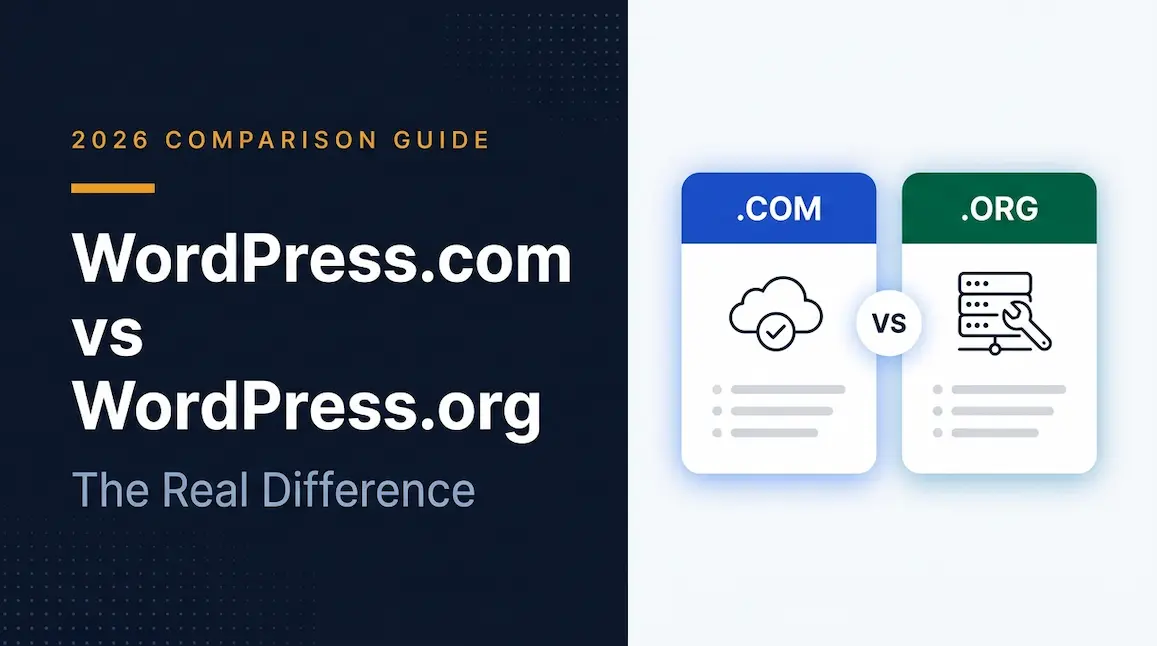
WordPress.com
A hosted service where much of the technical infrastructure is managed for you.
WordPress.org
The self-hosted WordPress software that you install on your own hosting account.
For a professional blog where you want greater control over hosting, themes, plugins, monetization, and site configuration, self-hosted WordPress is often the more flexible option.
WordPress currently offers both manual installation and hosting-provider setup options.
Installing WordPress
Most beginner-friendly hosts provide an automated WordPress installation process.
Typically, you'll:
-
Log in to your hosting account.
-
Choose WordPress.
-
Select your domain.
-
Create your administrator account.
-
Complete the installation.
-
Log in to your WordPress dashboard.
Your hosting provider may use different names for these steps, but the general process is similar.
Step 7: Configure Your WordPress Website
After installing WordPress, don't immediately start installing dozens of plugins.
First, configure the basics.
Set Your Site Title
Go to your WordPress settings and configure your website name and basic information.
Your site title should clearly communicate your brand.
Set Your Permalink Structure
Your URLs should be simple and readable.
For example:
Good:
example.com/how-to-start-a-blog/
Less useful:
example.com/?p=123
Readable URLs are easier for users to understand and easier to manage.
Create a Strong Admin Password
Never use an easy password such as:
-
admin123 -
Your name
-
Your birthday
-
Your website name
Use a unique, strong password and enable additional security features where appropriate.
Step 8: Choose a Professional WordPress Theme
Your theme controls much of your website's visual appearance.
As a beginner, don't spend weeks looking for the most beautiful theme.
Focus on usability.
A good blog theme should be:
-
Fast
-
Mobile-friendly
-
Easy to customize
-
Accessible
-
Clean
-
Compatible with modern WordPress
-
Easy to read
Your visitors came to read your content.
A simple layout with excellent typography is often better than a website filled with animations and decorative elements.
What Your Blog Homepage Should Include
A professional homepage might contain:
-
Your site logo
-
Navigation menu
-
Clear introduction
-
Featured or recent articles
-
Main categories
-
About section
-
Newsletter signup
-
Footer navigation
Keep the design focused.
Step 9: Create the Essential Pages
Before publishing your first article, create the basic pages every professional blog should have.
About Page
Tell readers:
-
Who you are
-
What your website covers
-
Why you created it
-
Who the content is for
Don't write a five-page autobiography.
Focus on why the reader should trust your website.
Contact Page
Give readers a way to contact you.
Depending on your site, this could include:
-
Contact form
-
Email address
-
Social media profiles
Privacy Policy
Your website may collect information through analytics, contact forms, advertising, cookies, newsletters, and other services.
Create a privacy policy appropriate for your website and the jurisdictions in which you operate.
Terms and Conditions
Depending on your website, business model, and jurisdiction, you may also want terms and conditions.
Disclaimer
If you publish product reviews, financial content, health information, affiliate links, or other specialized content, a suitable disclaimer may be appropriate.
Step 10: Set Up Google Search Console
If you want people to discover your blog through Google, you should set up Google Search Console.
Search Console helps website owners understand how their site performs in Google Search. It can show information about search queries, impressions, clicks, indexing, and other search-related issues.
Once your website is verified, you can use Search Console to:
-
Monitor search performance
-
See which queries bring visitors
-
Check indexing
-
Inspect URLs
-
Submit sitemaps
-
Identify certain technical issues
You don't need to stare at Search Console every day.
Check it periodically, especially after publishing content or making major changes to your website.
Step 11: Create a Content Strategy
This is where many new bloggers go wrong.
They install WordPress, publish one article, and then wait for visitors.
Blogging doesn't work that way.
You need a content strategy.
A content strategy is simply your plan for deciding:
-
What to publish
-
Who you're publishing for
-
Which problems you're solving
-
How articles connect to one another
-
Which topics deserve priority
Step 12: Find Topics People Actually Want
Don't start by asking:
"What do I feel like writing about?"
Start with:
"What does my audience need help with?"
Suppose your niche is beginner photography.
Instead of publishing:
"Photography Thoughts"
You could publish:
-
How to use manual mode
-
Best camera settings for beginners
-
How to take sharper photos
-
How to photograph people
-
Best lenses for beginner photographers
-
How to edit photos
-
Photography mistakes beginners make
These topics have a clear purpose.
Step 13: Build Topic Clusters
A professional blog shouldn't be a random collection of unrelated articles.
Organize related content into topic clusters.
For example, imagine you run a fitness blog.
You could create a main guide:
Complete Beginner's Guide to Strength Training
Then publish supporting articles:
-
How many days should beginners train?
-
Best beginner exercises
-
How to warm up
-
How much protein do you need?
-
Beginner gym mistakes
-
How to create a workout routine
These articles can link to one another.
This helps readers discover more useful content and creates a logical structure for your website.
Step 14: Learn Basic Keyword Research
Keywords are the words and phrases people type into search engines.
Your primary keyword for this article, for example, is:
how to start a blog
Related keywords might include:
-
how to start a blog for beginners
-
how to create a blog
-
how to start blogging
-
how to start a blog website
-
how to make a blog
-
how to start a blog and make money
-
how to create a blog from scratch
You don't need to force every variation into your article.
Instead, understand the search intent behind the query.
Someone searching "how to start a blog" probably wants a step-by-step process.
So your article should provide exactly that.
Step 15: Write Your First Blog Post
Now it's time to publish.
Your first article doesn't have to be perfect.
It needs to be useful.
A simple blog post structure looks like this:
Introduction
Tell the reader what they'll learn.
Main Answer
Get to the point quickly.
Step-by-Step Explanation
Break complicated ideas into manageable sections.
Examples
Show readers how the advice works.
Practical Tips
Give them something they can actually do.
Conclusion
Summarize the important points and tell them what to do next.
How Long Should Your First Blog Post Be?
Don't obsess over word count.
There is no magic number of words that automatically makes an article rank.
A 1,200-word article can be better than a 4,000-word article if it answers the reader's question more completely.
The goal should be:
Write as much as necessary, but no more than necessary.
If a topic requires 3,000 words to explain properly, write 3,000 words.
If you can completely answer it in 1,000 words, stop at 1,000.
Google's guidance emphasizes helpful, comprehensive, people-first content rather than content produced simply to satisfy search-engine algorithms.
Step 16: Make Your Articles Easy to Read
Even excellent information can fail if the page is difficult to read.
Use:
-
Short paragraphs
-
Descriptive headings
-
Bullet points
-
Numbered lists
-
Tables where appropriate
-
Images
-
Examples
-
Bold text for important concepts
-
Plenty of whitespace
Avoid enormous blocks of text.
Remember that many people will read your article on a phone.
Step 17: Add Internal Links
Internal links connect one page of your website to another.
For example, if you write an article about:
How to Start a Blog
you might later publish:
You can link between the two articles.
Internal linking helps readers discover related content and gives search engines more context about how your pages are connected.
As your website grows, build links naturally between related articles.
Step 18: Optimize Your Blog for SEO
Search engine optimization, or SEO, is the process of improving your website so search engines can better understand and surface your content.
Basic blog SEO includes:
Use a Clear Title
Your title should accurately describe what the article is about.
Use Descriptive Headings
Break your article into logical sections.
Write Helpful Content
Don't write primarily for search engines.
Write for the person who searched for the information.
Create Useful URLs
Keep URLs short and descriptive.
Add Internal Links
Connect related content.
Optimize Images
Compress large images and use descriptive alternative text where appropriate.
Make Your Site Mobile-Friendly
Your blog should work well on phones, tablets, and desktops.
Improve Performance
Slow websites create a poor user experience.
Google's current Search guidance continues to emphasize helping search engines crawl, index, and understand your content while creating useful pages for users.
Step 19: Don't Try to "Game" Google
You will eventually encounter articles promising:
"10 secret tricks to rank #1 on Google!"
Be skeptical.
There is no guaranteed shortcut to the top of search results.
Instead, focus on:
-
Original information
-
First-hand experience
-
Accurate information
-
Clear explanations
-
Useful examples
-
Strong website structure
-
Good user experience
-
Consistent publishing
Google's guidance specifically recommends reliable, people-first content and encourages creators to evaluate whether their content provides substantial, useful information.
Step 20: Publish Consistently
You don't need to publish every day.
Consistency matters more than frequency.
For example, you could start with:
One excellent article per week.
That gives you roughly 50 articles in a year.
If you can produce two genuinely useful articles each week without sacrificing quality, even better.
But don't publish seven mediocre articles simply because you think Google rewards publishing frequency.
Step 21: Promote Your Blog
Publishing an article doesn't automatically bring visitors.
You need to give people reasons to discover it.
Depending on your niche, you can promote your content through:
-
Facebook
-
Reddit
-
X
-
LinkedIn
-
YouTube
-
Pinterest
-
Email newsletters
-
Online communities
-
Relevant forums
-
Personal networks
Don't spam communities with links.
Instead, participate genuinely and share your article when it actually solves the person's problem.
Step 22: Build an Email List
Don't depend entirely on search engines.
Start building an audience you can reach directly.
For example, you could offer a useful free resource:
Download the Beginner's Blogging Checklist
Readers enter their email address and receive the resource.
You can then send useful updates when you publish new articles.
An email list can become one of the most valuable assets of a growing blog because you aren't completely dependent on an algorithm deciding whether your content gets seen.
Step 23: Track Your Results
Once your blog has been running for a while, look at your data.
Useful things to monitor include:
-
Which articles get traffic
-
Which search queries generate impressions
-
Which pages receive clicks
-
Which articles attract backlinks
-
Which topics perform poorly
-
Where visitors come from
Google Search Console can show search performance data such as queries, clicks, impressions, and average position.
The goal isn't to obsess over numbers.
Use the data to answer questions.
For example:
"This article receives 10,000 impressions but very few clicks. Could the title or search snippet be improved?"
That is much more useful than simply checking your traffic every morning.
Step 24: Update Your Old Articles
A blog isn't something you publish once and forget.
Information changes.
Statistics become outdated. Products are replaced. Software changes. Links break. Better examples become available.
Set aside time to review your older content.
Look for:
-
Outdated information
-
Broken links
-
Old screenshots
-
Missing sections
-
Better examples
-
New developments
-
Opportunities for internal links
Keeping useful articles accurate can be more valuable than constantly publishing new ones.
How Do Bloggers Make Money?
Once your blog attracts a consistent audience, there are several ways to monetize it.
Display Advertising
You can place advertisements on your website and earn revenue based on your traffic and ad performance.
Affiliate Marketing
You recommend a product or service and receive a commission when someone purchases through your referral.
For example, a photography blog could recommend:
-
Cameras
-
Lenses
-
Editing software
-
Camera bags
-
Online courses
Digital Products
You can create and sell:
-
Ebooks
-
Templates
-
Courses
-
Presets
-
Checklists
-
Software
-
Paid guides
Services
A blog can also generate customers for services such as:
-
Consulting
-
Freelancing
-
Web development
-
Design
-
Coaching
-
Writing
-
Photography
Sponsorships
Once your website develops an audience and reputation, companies may pay you to create sponsored content or promote their products.
Don't Start a Blog Only for Money
This might sound strange in an article about blogging professionally, but it's important.
If your only motivation is:
"I want to make money from Google."
you may give up before your blog has a chance to grow.
Instead, build something useful first.
Choose a topic you understand.
Help people solve real problems.
Create content that deserves to be read.
Then look for sensible ways to monetize the audience you've built.
Common Blogging Mistakes Beginners Make
1. Choosing a Niche They Don't Care About
If you're bored after five articles, you'll struggle to maintain the website.
2. Trying to Write About Everything
A blog about technology, cooking, finance, travel, gaming, and fitness may have plenty of content—but very little clear identity.
3. Buying Expensive Hosting Too Early
You don't need enterprise infrastructure for your first 100 visitors.
Start appropriately and upgrade when your traffic requires it.
4. Installing Too Many Plugins
Every plugin adds complexity.
Only install plugins that provide a genuine benefit.
5. Spending Months Designing the Website
Your first article is more important than your perfect gradient.
Get the website clean and functional, then start publishing.
6. Obsessing Over Word Count
Don't write 4,000 words when 1,500 will answer the question properly.
7. Copying Competitors
Study competing websites to understand what readers want, but don't simply rewrite what already exists.
Add your own experience, examples, research, and perspective.
8. Expecting Traffic Immediately
A new blog may take time to gain visibility.
Don't judge the entire project after two weeks.
Your First 30 Days of Blogging
If you're completely new, here's a simple launch plan.
Week 1: Build the Foundation
-
Choose your niche
-
Define your audience
-
Choose your blog name
-
Register your domain
-
Purchase hosting
-
Install WordPress
-
Choose a theme
-
Configure basic settings
Week 2: Prepare Your Content
Create:
-
About page
-
Contact page
-
Privacy policy
-
Terms/disclaimer where appropriate
Then create a list of 20–30 article ideas.
Group related ideas into topics or categories.
Week 3: Start Publishing
Publish your first 2–3 high-quality articles.
Don't worry about getting everything perfect.
Focus on making each article genuinely useful.
Week 4: Improve and Promote
-
Set up Google Search Console
-
Check your website on mobile
-
Improve article formatting
-
Add internal links
-
Share your articles
-
Look for early feedback
-
Plan your next month of content
At the end of the first month, your goal isn't thousands of visitors.
Your goal is to have a real, functioning blog with useful content and a clear direction.
A Simple Blogging Workflow to Follow
Once your blog is running, use this workflow for every new article:
1. Find a Problem
What does your audience need help with?
2. Research the Topic
Understand what is already available and identify gaps.
3. Choose the Search Intent
Determine what someone searching for the topic actually wants.
4. Create an Outline
Plan the headings before writing.
5. Write the First Draft
Focus on usefulness rather than perfection.
6. Add Examples
Make abstract information practical.
7. Improve Readability
Break up long paragraphs and add useful formatting.
8. Optimize for Search
Check your title, URL, headings, internal links, and metadata.
9. Proofread
Fix spelling, grammar, broken links, and factual problems.
10. Publish
Get the article online.
11. Promote
Share it where your audience actually spends time.
12. Review Later
Use real data and feedback to improve the article.
How Much Does It Cost to Start a Blog?
The cost depends on how you build your website.
At the minimum, you'll generally need:
-
A domain name
-
Web hosting
You may also spend money on:
-
Premium themes
-
Premium plugins
-
Email marketing
-
Stock photography
-
SEO tools
-
Freelance writers or designers
But you don't need all of these on day one.
A sensible beginner approach is:
Domain + reliable hosting + WordPress + a good free theme + useful content
Start there.
Spend money when you can identify a real problem that the purchase solves.
Do You Need to Know Coding to Start a Blog?
No.
If you're using WordPress, you can build and manage a professional blog without writing code.
WordPress provides a visual editing experience and a large ecosystem of themes and plugins.
However, learning basic HTML, CSS, and eventually JavaScript or PHP can become useful if you want deeper customization.
Think of coding as an optional skill that gives you more control, not a requirement for launching your first blog.
Should You Use AI to Write Blog Posts?
AI can be useful during the blogging process, but it shouldn't replace your judgment.
You can use AI to help with:
-
Brainstorming
-
Outlining
-
Research organization
-
Editing
-
Simplifying explanations
-
Generating ideas
-
Finding gaps in a draft
But don't publish generic AI-generated articles simply because they're quick to produce.
Your blog needs something that generic content cannot easily provide:
Your knowledge, experience, examples, research, and perspective.
That is especially important as search systems increasingly emphasize useful, original, and reliable information.
Frequently Asked Questions
How much money do I need to start a blog?
You can start with a relatively small budget. The two fundamental expenses for a self-hosted blog are usually a domain and hosting. You can add premium themes, plugins, and other services later when you actually need them.
Can I start a blog without technical knowledge?
Yes. Modern platforms such as WordPress are designed to let people create and manage websites without being professional developers.
How long does it take to start a blog?
Technically, you can get a basic WordPress blog online in a day. Building a useful website with strong content is the longer process.
How many articles should I publish before launching?
You don't need 50 articles before launch. A handful of genuinely useful articles is enough to establish the site and start learning from readers and search data.
How long does it take for a new blog to get traffic?
There is no guaranteed timeline. Some pages can receive traffic relatively quickly, while others take much longer. Your niche, competition, content quality, authority, and distribution all matter.
Can a blog make money in 2026?
Yes. Blogs can generate revenue through advertising, affiliate marketing, digital products, services, sponsorships, and other business models. But monetization generally becomes easier after you've built useful content and an audience.
Is WordPress still good for blogging in 2026?
Yes. WordPress remains a major open-source publishing platform with extensive themes, plugins, and learning resources. The current WordPress ecosystem continues to support both first-time bloggers and more advanced website owners.
Final Checklist: Launch Your First Blog
Before you announce your new blog, make sure you have completed these steps:
-
Choose a clear niche
-
Define your target audience
-
Choose a memorable domain
-
Purchase reliable hosting
-
Install WordPress
-
Choose a clean, responsive theme
-
Configure your basic settings
-
Create an About page
-
Create a Contact page
-
Add an appropriate Privacy Policy
-
Set up Google Search Console
-
Create your first content plan
-
Write your first useful articles
-
Add internal links
-
Check your site on mobile
-
Proofread everything
-
Publish
-
Start promoting your content
-
Track what works
-
Keep improving
Conclusion: Start Your Blog Today
Learning how to start a blog is much easier than it was years ago.
The technology is no longer the biggest challenge.
You can register a domain, purchase hosting, install WordPress, and create a professional-looking website without being a developer. WordPress itself provides beginner-focused resources for setting up hosting, domains, and a new site.
The real challenge is what comes afterward.
You need to understand your audience.
You need to solve real problems.
You need to create useful content consistently.
And you need to improve your website based on what your readers actually need.
Don't wait until your logo is perfect. Don't wait until you know everything about SEO. Don't wait until you have 100 article ideas.
Start with a clear niche, a simple website, and one genuinely useful article.
Then publish the next one.
Your first blog doesn't need to be perfect. It just needs to exist.